Plan, create, store, & publish social media content from just one app.
One workspace to manage your content, with lots of help from AI built inside it.
What changes when you switch
Today
- IdeasA notes app and guesswork
- PlanningA spreadsheet you forget to update
- FilesYour phone and a cloud drive
- PublishingEach app, one at a time
- NumbersAnalytics in another tab
- Your AICopy and paste, every time
In Contendoor
- IdeasIdeas from your brand and real numbers
- PlanningA plan in Notes your AI can update
- FilesOne place, searchable by meaning
- PublishingOne post, every platform
- NumbersTurned into ideas for you
- Your AISees your whole workspace
Content ideas and planning
Ideas that fit your brand, a plan you’ll keep, and real numbers behind both.
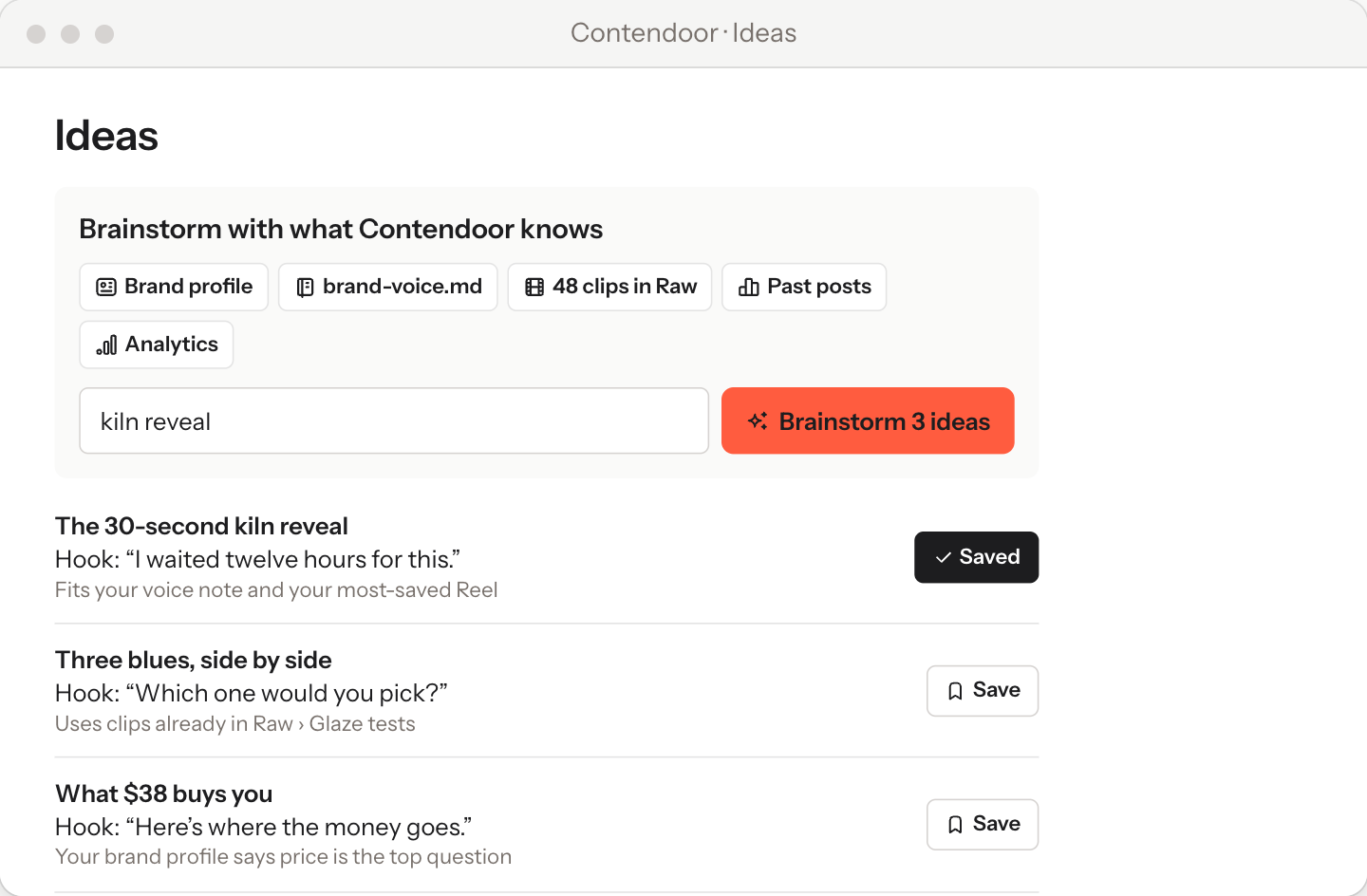
Get content ideas rooted in your brand context
contendoor researches your brand, your past posts & website visits to identify content ideas.
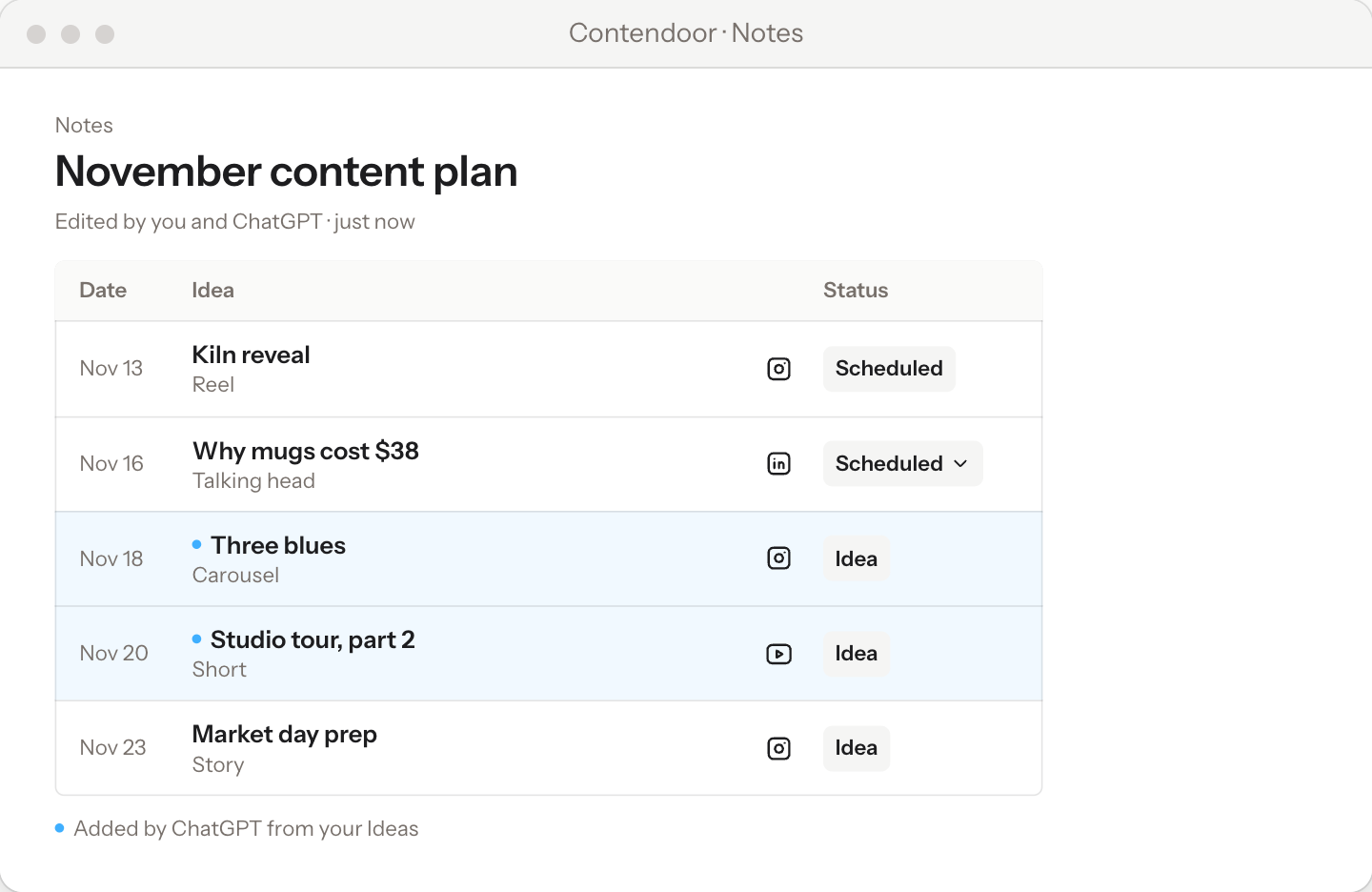
Plan content in Notes or your AI Agent chat
Lay out your content calendar as a table in Notes. Fill it in yourself, or ask ChatGPT or Claude to add in your content calendar.
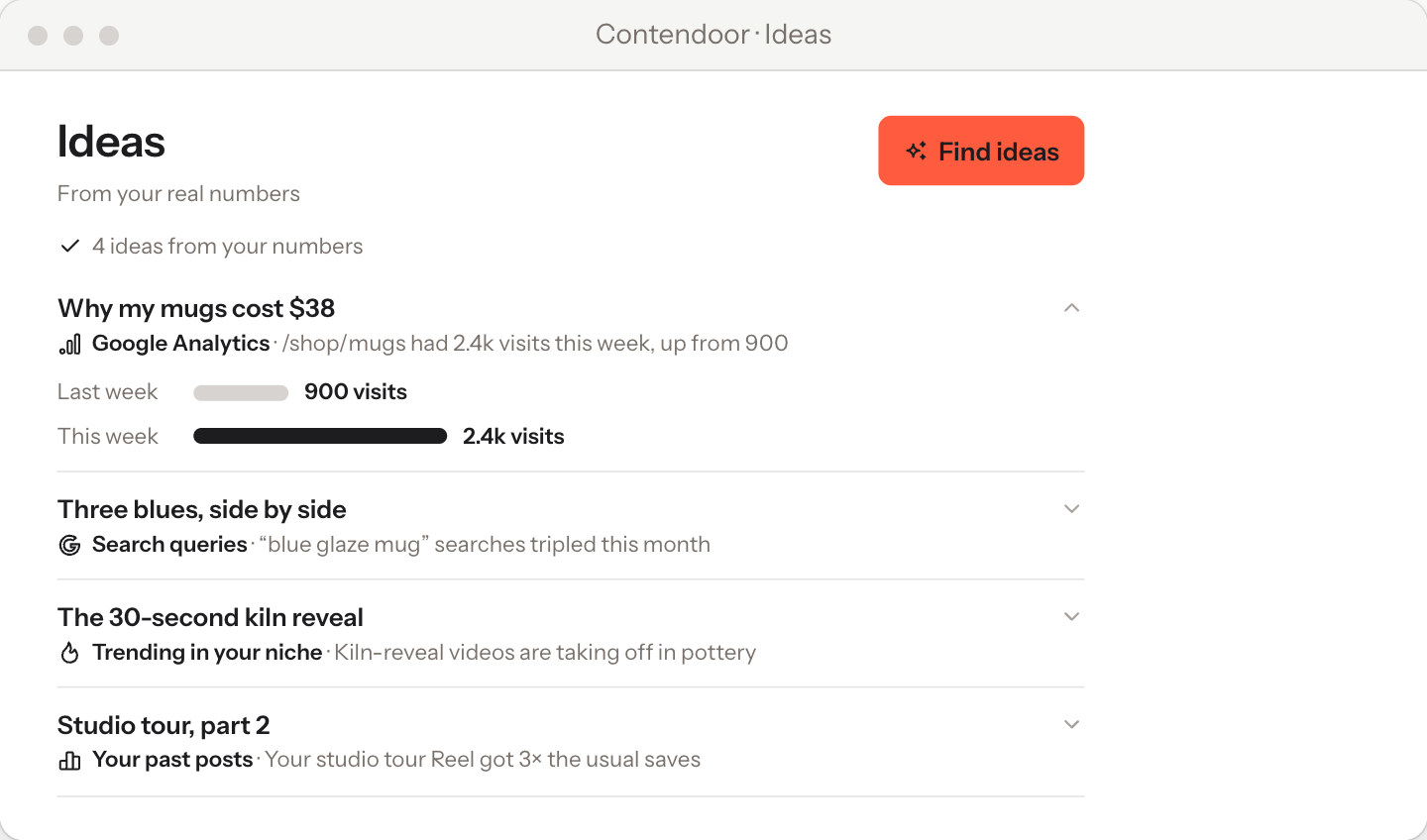
Content Ideas from real data
Ideas come from Google Analytics, search queries, videos taking off in your niche and how your past posts did. Each one tells you why it’s worth making.
Search, store and manage your files
Everything you make in one place, sorted, labelled and easy to find, for you and your AI.
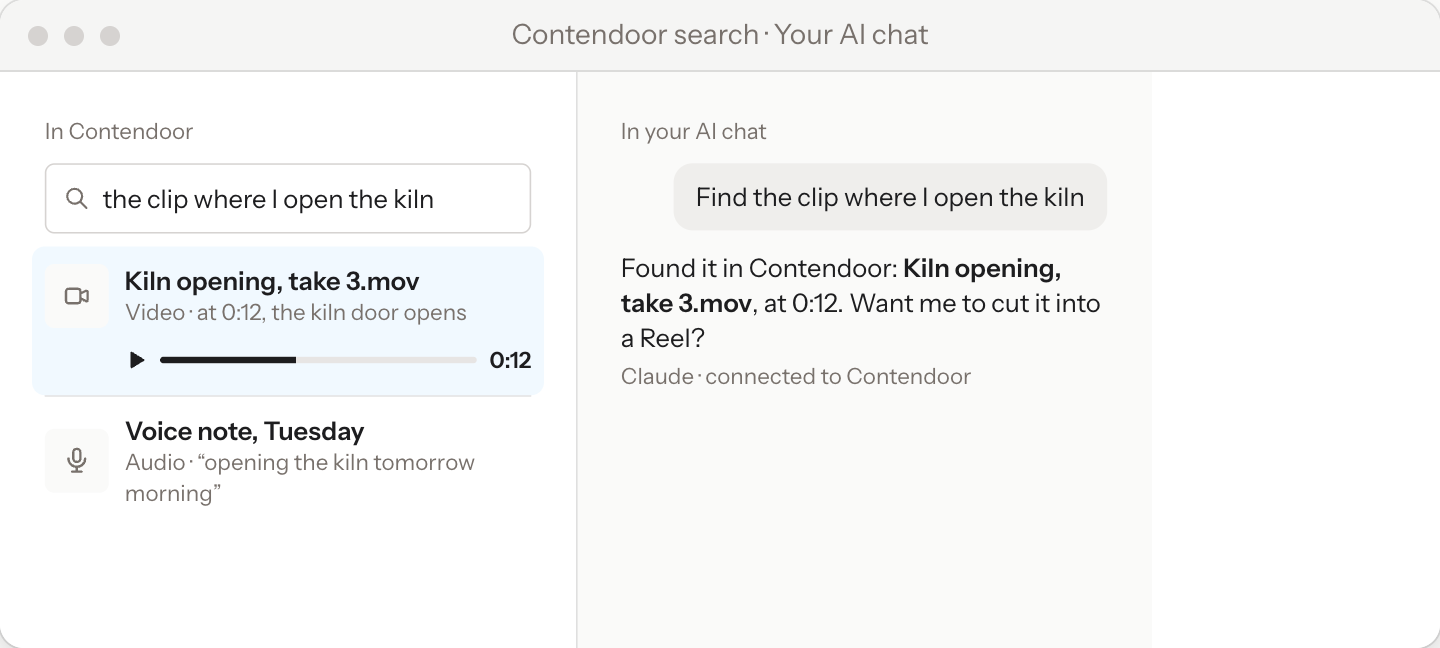
Find anything by describing it
Type “the clip where I open the kiln” in Contendoor, or ask Claude or ChatGPT. Either way, you get the clip.
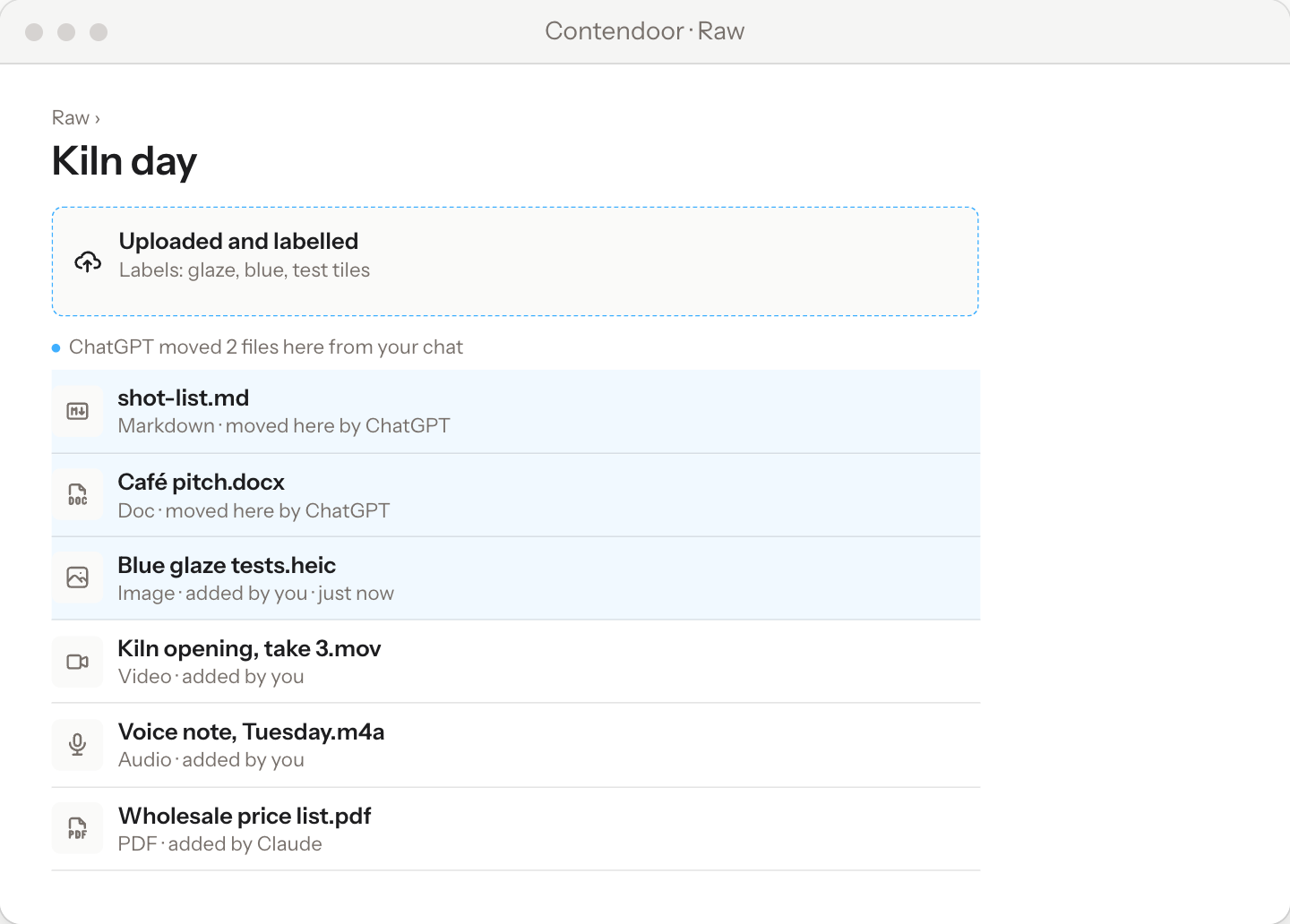
Your AI agent can drop & move files from chat
Social media videos, photos, docs, PDFs, HTML, audio, voice notes - any file works.
You can even store context for AI agents like skills.md, agents.md files here too.
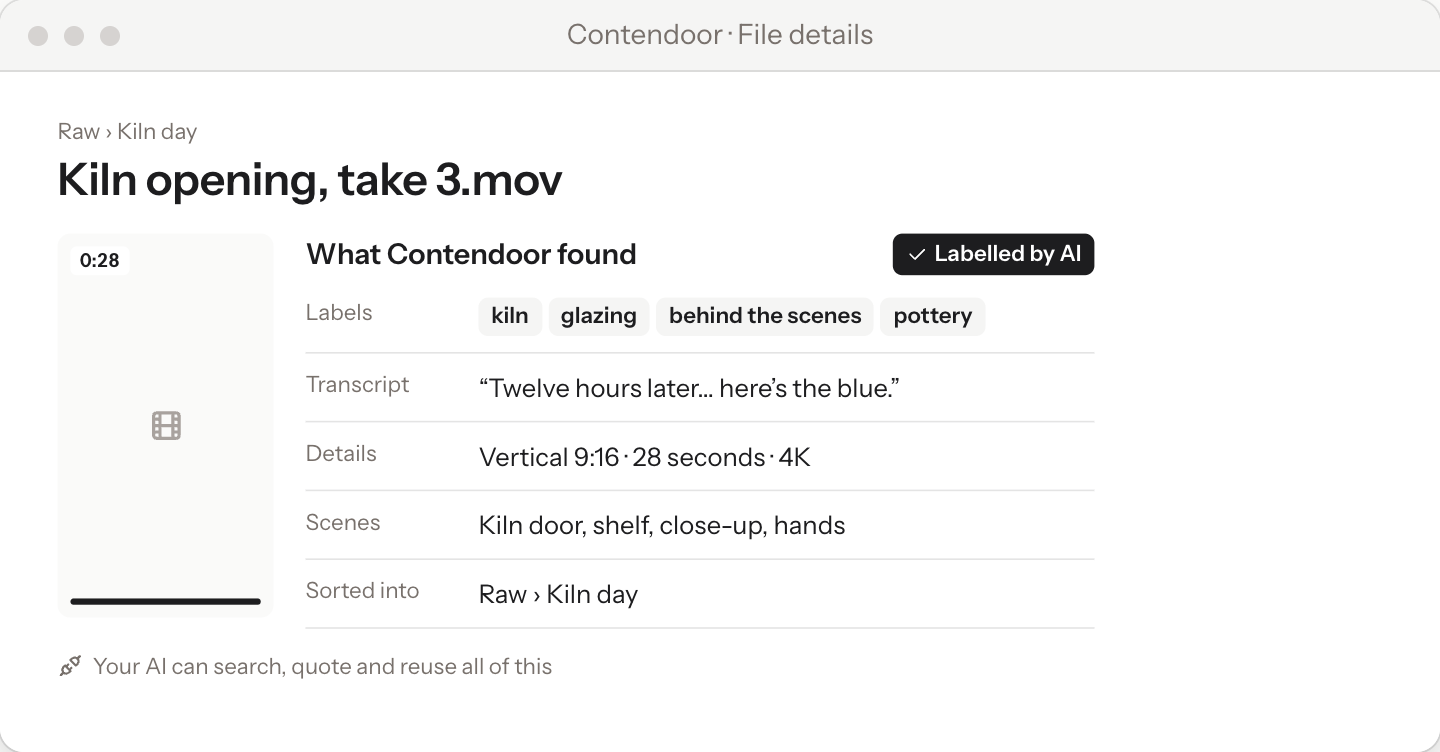
Auto-label & sorting by AI
Every file is read and labelled as it comes in: transcripts, scenes, sizes and topics. That’s what lets your AI agent work with it right away.
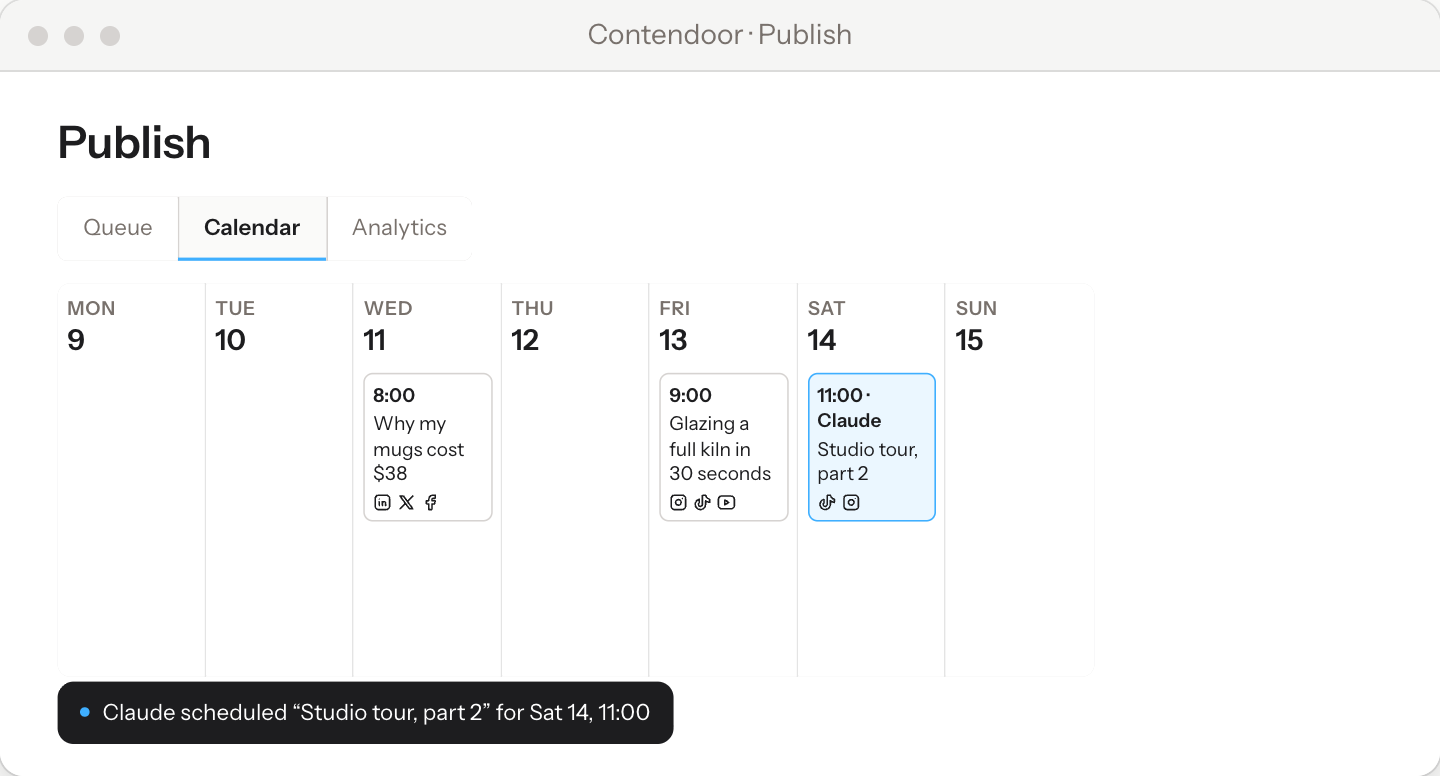
Scheduling and publishing
Post everywhere at once, without doing it by hand.
No more posting one by one
Schedule it once. You or your AI agent fill the week, and Contendoor posts it for you.
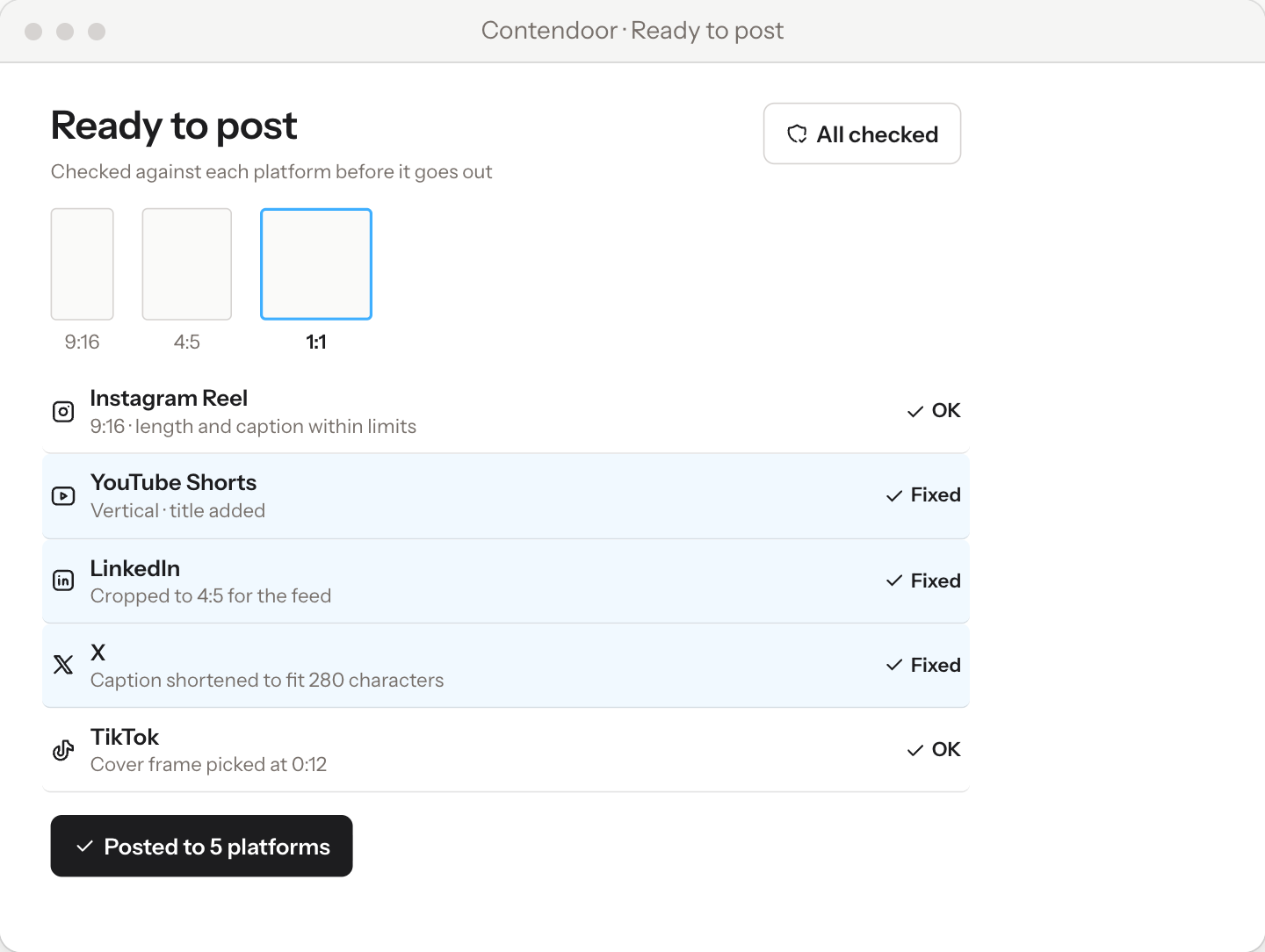
Platform rules, handled for you
Contendoor knows what each platform needs, like aspect ratio, caption length and format, and fixes what it can before anything goes out.
The real unlock: now your AI agent sees and takes action in your workspace
Because it’s all in one place, ChatGPT, Claude or Grok gets the full picture.
Ask your AI agent to plan, find, write or schedule, and it works from real context instead of whatever you paste in.
- Brand profile
- Notes
- Files
- Calendar
- Numbers
-
Step 1
Bring all assets in
Drop in videos, photos, docs, PDFs, voice notes and notes. Any format works.
-
Step 2
Connect your AI agents
Link ChatGPT, Claude, Grok or whichever AI you use. It’s easy to set up.
-
Step 3
Get things done
Find a clip, write a caption, plan the week or schedule a post, all by asking in plain words.
Customer Reviews
If you are reading this, then please consider using it and give feedback?
We’re new, so there are no testimonials here yet. We’d rather show you real stories than make them up, and we’d love yours to be one of the first.
Questions
- Can I bring my files from other apps?
- Yes. Drop in any file, in any format, and it’s sorted and labelled for you.
- Is it hard to switch?
- Not at all. Sign up, drop in your files and you’re good to go. No credit card needed.
- Can I take my files with me if I leave?
- Yes. You can export your files any time and take them with you.
- Does it work with the AI I already use?
- Yes. ChatGPT, Claude, Grok and the other AI tools you already use can all connect to it.
- Is it free?
- Yes. It’s free to try, and one workspace stays free for as long as you use it.
- What’s coming next?
- More integrations are on the way. Tell us which ones you want.
Free to start. Pro when you grow.
One workspace is free forever. Go Pro when you’re running more than one brand.
Free
$0 forever
- One workspace
- 9 AI-generated ideas
- 3 voice notes
- 3 file uploads, up to 300 MB each
- Notes, without read aloud, HTML pages or restyling
- Phone recording, saved as video without a transcript
- Works with ChatGPT, Claude, Grok and more
Pro
$20 per month
- No limits
- One workspace, with your team invited
- Everything in Free
Stop juggling between apps just to post content.
One workspace to manage everything your content creation needs.
Fully operable by your own account in ChatGPT, Claude, Perplexity, Grok bot.